Something shifted in DevOps over the past eighteen months. It was not just another tool launch or a new framework to learn. AI agents started showing up in the places where engineers spend most of their time -- pull request reviews, incident response channels, pipeline configurations, and infrastructure provisioning. And unlike the last wave of "AI-powered" products that were little more than dashboards with fancy charts, these agents actually do things.
They review code and catch bugs before human reviewers get to the PR. They correlate thousands of metrics during an outage and surface the root cause in seconds. They detect a failing node, drain its traffic, spin up a replacement, and close the incident ticket -- all before anyone on the team wakes up.
This is not a theoretical future. It is happening right now, and it is reshaping what it means to work in DevOps. If you are building a career in cloud engineering, infrastructure, or platform engineering, understanding how AI agents fit into modern DevOps workflows is no longer optional. It is the difference between leading the next generation of infrastructure and scrambling to catch up.
What Are AI Agents in a DevOps Context?
Before we get into specifics, let's clarify what "AI agent" means here. In the context of DevOps, an AI agent is an autonomous system that can observe your infrastructure and workflows, reason about what it sees, and take action without waiting for a human to tell it exactly what to do.
This is fundamentally different from traditional automation. A Bash script or Ansible playbook follows a fixed set of instructions. An AI agent evaluates context, considers multiple possible actions, and chooses the best one based on the current situation. If the first approach does not work, it adapts and tries another.
If you want a deeper dive into how AI agents work generally, including the underlying concepts of tool-calling and autonomous reasoning, check out our guide on AI agents and RAG.
Agents vs. Assistants vs. Copilots
The terminology can be confusing. In DevOps, a copilot suggests actions for a human to approve (like GitHub Copilot suggesting code). An assistant answers questions and provides analysis. An agent takes autonomous action -- it does not just suggest fixes, it applies them. Most tools in this space fall on a spectrum between assistant and fully autonomous agent, with human-in-the-loop checkpoints at critical decision points.
1. AI-Powered Code Review and PR Analysis
Code review is one of the first places AI agents have made a tangible impact on DevOps workflows. Tools like GitHub Copilot (which now includes PR review capabilities) and Amazon CodeWhisperer can analyze pull requests and provide substantive feedback in seconds.
But this goes beyond simple linting. Modern AI code review agents can:
- Detect security vulnerabilities in new code, flagging issues like SQL injection, hardcoded secrets, or insecure API patterns before they reach the main branch
- Identify performance regressions by analyzing code paths and flagging operations that could cause N+1 queries, memory leaks, or excessive API calls
- Check for consistency with existing codebase patterns, architectural decisions, and team conventions
- Suggest improvements with specific, actionable code changes rather than vague feedback
The impact on DevOps specifically is significant. Infrastructure-as-code changes (Terraform, Kubernetes manifests, CI/CD pipeline configs) are notoriously easy to misconfigure and hard to review manually. An AI agent that understands the semantics of a Terraform plan -- not just the syntax -- can catch a misconfigured security group or an overly permissive IAM policy that a tired human reviewer might miss.
Teams report that AI-assisted code review reduces the time to first review by 40-60% and catches classes of bugs that humans consistently overlook, particularly in configuration files and infrastructure code where the blast radius of a mistake is large.
2. Intelligent CI/CD Pipeline Optimization
If you have worked with CI/CD pipelines, you know the pain of slow builds. A pipeline that takes 30 minutes to run is a pipeline that developers learn to avoid. AI agents are attacking this problem from multiple angles.
Smart test selection is one of the most impactful applications. Instead of running the entire test suite on every commit, AI agents analyze the code changes and determine which tests are actually affected. If you changed a CSS file, there is no reason to run your database integration tests. Tools using this approach report 40-70% reductions in pipeline execution time without sacrificing coverage.
Predictive failure analysis takes this further. By analyzing patterns in historical build data, AI agents can predict which builds are likely to fail before they finish running. A pipeline that would take 20 minutes to fail can be flagged in the first 2 minutes, letting the developer fix the issue immediately instead of context-switching and coming back later.
Dynamic resource allocation is where things get interesting from an infrastructure perspective. AI agents can monitor pipeline queue depths and execution patterns, then automatically scale CI/CD runners up or down. During peak development hours, the agent spins up additional runners. On weekends, it scales down to near zero. Teams using this approach typically see 30-50% reductions in CI/CD infrastructure costs.
Start With the Low-Hanging Fruit
If you want to introduce AI into your CI/CD pipelines, start with smart test selection. It delivers the most immediate, measurable improvement with the lowest risk. You do not need to overhaul your entire pipeline -- just add an AI-powered test selection step before your existing test stage.
3. Automated Incident Response and Root Cause Analysis
This is where AI agents in DevOps shift from "nice to have" to "game-changing." Incident response has traditionally been one of the most stressful and human-intensive parts of running production systems. At 3 AM, when your pager goes off, you are expected to diagnose a problem across dozens of services, hundreds of metrics, and thousands of log lines -- all while the clock is ticking on your SLA.
PagerDuty AI and Datadog AI are leading the charge here. These platforms use AI agents that can:
- Correlate alerts across services -- Instead of getting 47 separate alerts during an outage, the agent groups them into a single incident and identifies the common root cause
- Analyze logs and metrics automatically -- The agent searches through logs, traces, and metrics from the affected time window and surfaces the most likely root cause
- Suggest and execute remediation steps -- Based on historical incidents with similar patterns, the agent can suggest (or in some configurations, automatically execute) the fix
- Generate incident reports -- After the incident is resolved, the agent drafts a postmortem with timeline, root cause, impact analysis, and suggested preventive measures
Dynatrace Davis AI takes a particularly interesting approach. It builds a real-time dependency map of your entire application stack and uses causal AI (not just correlation) to trace problems back to their root cause. When a user-facing error spike occurs, Davis AI can pinpoint that the cause is a specific database query that started running slowly after a schema migration three services upstream -- the kind of multi-hop reasoning that takes a human engineer 30 minutes of manual investigation.
The numbers back this up. Organizations using AI-powered incident response report a 40-60% reduction in mean time to resolution (MTTR). For a company where each minute of downtime costs thousands of dollars, this is not a minor improvement.
4. Self-Healing Infrastructure
Self-healing infrastructure is the logical next step from automated incident response. Instead of detecting a problem and alerting a human, the system detects the problem and fixes it autonomously.
To be fair, basic self-healing has existed for years. Kubernetes restarts crashed pods. Auto Scaling Groups replace failed EC2 instances. Health checks remove unhealthy targets from load balancers. But AI agents are expanding the scope of what "self-healing" means dramatically.
Modern AI-powered self-healing goes beyond simple restarts:
- Memory leak detection and remediation -- An AI agent detects that a service's memory usage is growing linearly, predicts when it will hit the limit, and gracefully restarts the service during a low-traffic window before it crashes
- Configuration drift correction -- The agent detects that a production server's configuration has drifted from the desired state (perhaps someone SSH'd in and made a manual change) and automatically reverts it
- Capacity-aware failover -- Instead of a simple failover that might overwhelm the backup region, the agent evaluates available capacity across all regions and orchestrates a gradual traffic shift that prevents cascading failures
- Database performance remediation -- The agent detects slow queries, analyzes the execution plan, and adds missing indexes or adjusts connection pool settings without human intervention
Trust, But Verify
Self-healing infrastructure is powerful, but it requires careful guardrails. Always implement a "blast radius" limit -- the maximum scope of changes an agent can make autonomously. Start small (restarting a single pod), build confidence through logging and review, and gradually expand the agent's authority. An unconstrained AI agent making infrastructure changes at 3 AM is a recipe for a very bad morning.
5. AI-Assisted Infrastructure as Code Generation
Writing Terraform, Kubernetes manifests, and CloudFormation templates is tedious and error-prone. One wrong indentation, a missing required field, or an incorrect resource dependency can cause a deployment to fail or, worse, create infrastructure that works but is insecure or misconfigured.
AI agents are making IaC generation faster and safer. GitHub Copilot and Amazon CodeWhisperer can generate Terraform modules, Helm charts, and Kubernetes manifests from natural language descriptions. But the more interesting development is specialized DevOps AI tools that understand infrastructure semantics.
These tools do not just generate syntactically correct code. They generate infrastructure that follows best practices:
- Security defaults -- Generated security groups follow the principle of least privilege. IAM policies are scoped tightly. Encryption is enabled by default.
- Cost awareness -- The agent suggests appropriate instance sizes based on workload characteristics rather than defaulting to oversized resources
- Compliance alignment -- For regulated industries, the agent can generate infrastructure that meets specific compliance frameworks (SOC 2, HIPAA, PCI DSS) out of the box
- Module reuse -- Instead of generating one-off configurations, the agent creates reusable modules that follow your organization's patterns
The time savings are substantial. Engineers report that AI-assisted IaC generation reduces the time to create new infrastructure configurations by 50-70%, with fewer iterations needed to pass security reviews.
6. Predictive Scaling and Capacity Planning
Traditional autoscaling is reactive. Traffic increases, CPU usage rises above the threshold, and the autoscaler adds instances. The problem is the lag: it takes minutes to provision new instances, and during that window, users experience degraded performance.
AI-powered predictive scaling flips this model. By analyzing historical traffic patterns, seasonal trends, and external signals (marketing campaign launches, product announcements, even weather patterns for some businesses), AI agents can scale infrastructure before the demand arrives.
AWS already offers predictive scaling policies for Auto Scaling Groups, and cloud-native monitoring platforms are building similar capabilities. The results are compelling: reduced latency during traffic spikes, fewer over-provisioning incidents, and 20-35% lower compute costs compared to threshold-based autoscaling.
Beyond day-to-day scaling, AI agents are also transforming long-term capacity planning. Instead of engineers spending days analyzing growth trends and building spreadsheets, AI agents continuously analyze usage patterns and generate capacity forecasts with specific recommendations: "At current growth rates, your database cluster will need an additional read replica by March, and your Kubernetes node pool should increase from 8 to 12 nodes by April."
Will AI Replace DevOps Engineers?
Let's address this directly: no, AI is not going to replace DevOps engineers. But it is going to change what DevOps engineers do.
Here is the honest breakdown. AI agents are excellent at:
- Repetitive, pattern-based tasks (log analysis, alert correlation, routine scaling)
- Applying known solutions to known problems (restarting a crashed service, rolling back a bad deployment)
- Processing large volumes of data quickly (scanning thousands of metrics during an incident)
- Generating boilerplate code and configurations
AI agents are not good at:
- Designing systems from scratch (architecture decisions still require human judgment)
- Handling truly novel problems (the outage caused by something that has never happened before)
- Navigating organizational politics and trade-offs ("We need to migrate to Kubernetes, but the team that owns the legacy service is resistant")
- Making judgment calls about risk tolerance, cost vs. reliability trade-offs, and business priorities
The DevOps engineers who thrive in the AI era will not be the ones manually writing Terraform modules and staring at Grafana dashboards at 3 AM. They will be the ones designing the systems, setting the policies, and orchestrating the AI agents that handle the operational work. Think of it as moving from being the pilot who manually flies the plane to being the aviation engineer who designs and supervises the autopilot system.
The salary data reflects this shift. According to industry surveys from 2025 and early 2026, DevOps engineers with AI and automation skills command a 20-35% salary premium over those without. The average salary for a DevOps engineer in the US is $130,000-$170,000, but engineers with AI-augmented DevOps experience are seeing offers in the $160,000-$210,000 range, particularly in platform engineering and SRE roles.
Skills DevOps Engineers Need for the AI Era
If you want to stay ahead of this curve, here are the skills to invest in:
AI and ML fundamentals -- You do not need to train models, but you need to understand how LLMs work, what prompt engineering is, and how to evaluate AI outputs. This lets you effectively configure, tune, and troubleshoot AI-powered DevOps tools.
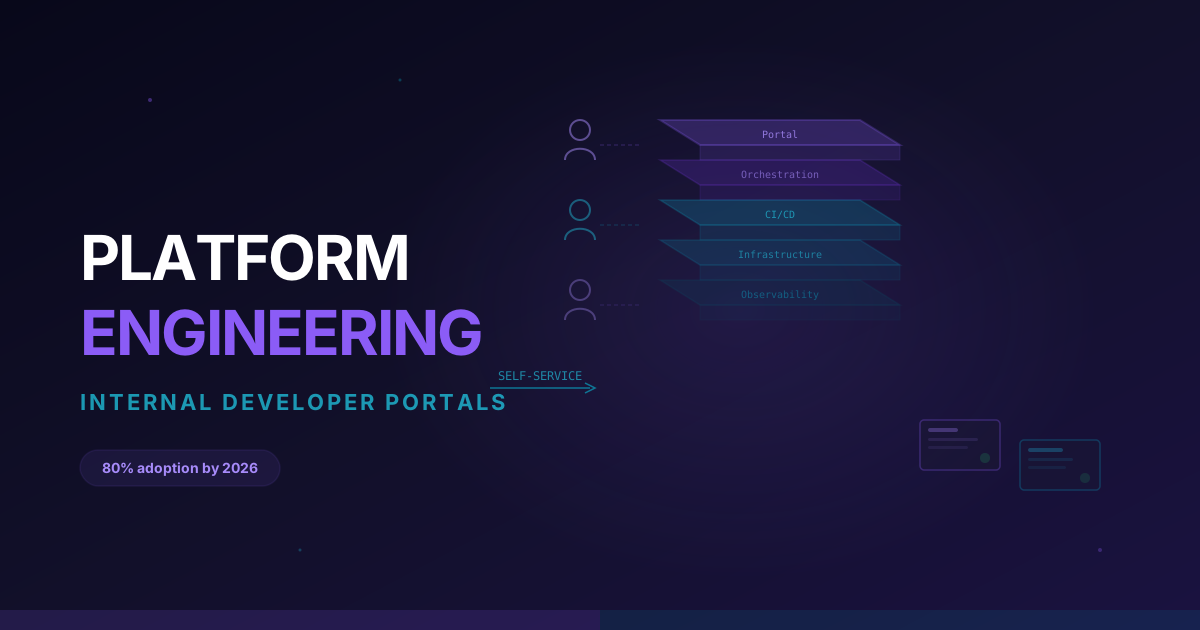
Platform engineering -- The shift from "DevOps engineer who runs pipelines" to "platform engineer who builds self-service developer platforms" is accelerating. AI agents are a key component of modern developer platforms. Learn about internal developer portals, service catalogs, and platform abstractions.
Policy-as-code and guardrails -- As AI agents gain more autonomy over infrastructure, someone needs to define the boundaries. Skills in Open Policy Agent (OPA), Sentinel, and Kyverno for writing policies that govern what AI agents can and cannot do will be increasingly valuable.
Observability and AIOps -- Understanding how to instrument systems, design meaningful alerts, and build observability pipelines is more important than ever. AI agents are only as good as the data they receive. Engineers who can build high-quality observability foundations will be essential.
System design and architecture -- This is the skill that AI is furthest from replacing. The ability to design reliable, scalable, cost-effective systems -- considering trade-offs, constraints, and business requirements -- remains a deeply human skill and the highest-value work in DevOps.
Prompt engineering for DevOps tools -- Knowing how to write effective prompts and configure AI agents for DevOps-specific tasks (incident response playbooks, IaC generation templates, code review rules) is a practical skill that immediately increases your productivity.
Build a Portfolio That Demonstrates AI-DevOps Skills
Set up a home lab project that includes AI-powered monitoring (Datadog or Grafana with ML-based alerting), an automated incident response workflow, and predictive scaling. Document the architecture and the decisions you made. This kind of project stands out in interviews because it shows you understand both the technology and the operational thinking behind it.
Getting Started: Practical Next Steps
You do not need to overhaul your entire DevOps workflow overnight. Here is a pragmatic path to integrating AI into your DevOps practice:
- Enable AI code review on one repository. Start with GitHub Copilot's PR review features. Let it run alongside human reviewers for a month and compare the feedback quality.
- Add AI-powered monitoring to one service. Pick a production service and enable AI-assisted anomaly detection in your monitoring platform. See how it compares to your existing static threshold alerts.
- Automate one incident response runbook. Take your most common incident type and build an AI-powered automation that handles the first three diagnostic steps. Keep a human in the loop for the remediation step.
- Experiment with AI-assisted IaC generation. The next time you need to create a new Terraform module, try generating it with an AI tool first and then refining the output. Track how much time it saves.
CloudaQube offers hands-on labs where you can practice these exact scenarios -- building AI-augmented CI/CD pipelines, setting up self-healing infrastructure, and configuring AI-powered monitoring -- in real cloud environments without risking your production systems.
Frequently Asked Questions
How do AI agents differ from traditional DevOps automation?
Traditional automation (scripts, Ansible playbooks, Terraform) follows predetermined instructions. It does exactly what you told it to do, every time. AI agents can evaluate context, reason about the current situation, and choose the best action from multiple options. A script restarts a failed pod. An AI agent investigates why the pod failed, checks if restarting is the right action (or if the underlying node is the problem), and adapts its response based on what it finds.
What is the biggest risk of using AI agents in DevOps?
Over-trust. AI agents can make mistakes, hallucinate solutions, or take actions that make a situation worse. The biggest risk is giving an agent too much authority too quickly without proper guardrails, logging, and human oversight. Start with read-only actions (analysis, recommendations), graduate to low-risk actions (restarting pods, scaling up), and only expand to high-impact actions (database changes, network configuration) after building a strong track record.
Do I need to know Python to work with AI in DevOps?
It helps, but it is not strictly required for getting started. Many AI-powered DevOps tools (PagerDuty AI, Datadog AI, GitHub Copilot) are configured through their UIs and YAML, not custom Python code. However, if you want to build custom AI agents, integrate tools, or work with frameworks like LangChain, Python becomes essential. It is a worthwhile investment regardless.
How much do AI-augmented DevOps tools cost?
Costs vary widely. GitHub Copilot runs $19/month per user for individuals. Enterprise AI monitoring platforms like Datadog AI and Dynatrace charge based on host count and data volume, typically adding 15-30% to your existing monitoring bill for AI features. PagerDuty's AI features are included in their higher-tier plans. For most teams, the cost is easily justified by reduced MTTR and fewer after-hours incidents.
Will AI make on-call rotations obsolete?
Not entirely, but it will make them significantly less painful. AI agents can handle the first-line triage and resolution for common incidents, reducing the number of times an on-call engineer actually gets paged. Some organizations report a 50-70% reduction in human pages after implementing AI-powered incident response. You will still need humans for novel incidents, escalations, and judgment calls, but the 3 AM wake-up for a routine pod restart should become a thing of the past.
What certifications or courses help with AI-DevOps skills?
There is no single "AI for DevOps" certification yet, but a combination works well: a cloud certification (AWS Solutions Architect, Azure Administrator, or CKA for Kubernetes), combined with practical AI/ML experience through building projects. Focus on hands-on experience over certifications -- the field is moving too fast for certifications to keep up.
Want to practice this hands-on?
CloudaQube generates complete labs from a simple description. Try it free.
Get Started Free