Why Python Dominates DevOps
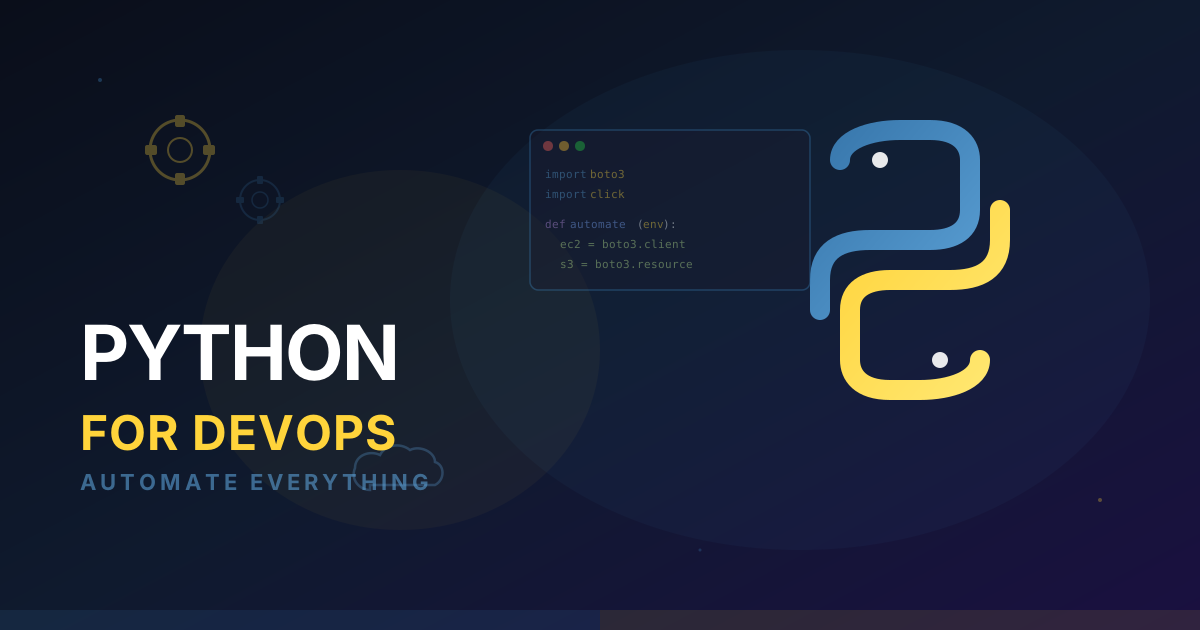
Python is the number one programming language globally and the default scripting language for DevOps engineers. It's not because Python is the fastest language or the most elegant. It's because Python has the richest ecosystem of libraries for the exact problems DevOps engineers solve every day: interacting with cloud APIs, parsing logs, automating infrastructure, building CLI tools, and integrating with every service imaginable.
Every major cloud provider has a first-class Python SDK. AWS has Boto3. Azure has the Azure SDK. Google Cloud has google-cloud-python. Kubernetes has the official Python client. Terraform, Ansible, and most DevOps tools either are written in Python or have Python bindings. When you learn Python for DevOps, you're not just learning a language — you're gaining access to the entire DevOps tool ecosystem.
This guide covers the Python skills and patterns that DevOps engineers use daily, with real-world examples you can adapt to your own infrastructure.
Setting Up a DevOps Python Environment
Before writing any automation, set up a proper development environment:
# Create a project directory
mkdir devops-scripts && cd devops-scripts

# Use a virtual environment (always)
python3 -m venv .venv
source .venv/bin/activate

# Install core DevOps libraries
pip install boto3 requests pyyaml click rich
Why virtual environments matter: DevOps scripts run on build servers, cron jobs, and CI pipelines. Each environment needs reproducible dependencies. Always use requirements.txt or pyproject.toml to pin versions.
Essential DevOps Python Libraries
- boto3: AWS SDK — manage any AWS resource programmatically
- requests: HTTP client for REST API integrations
- pyyaml: Parse and generate YAML (Kubernetes manifests, Ansible playbooks)
- click: Build professional CLI tools with argument parsing
- rich: Beautiful terminal output with tables, progress bars, and colors
- paramiko: SSH connections for remote server management
- jinja2: Template engine for generating configuration files
AWS Automation with Boto3
Boto3 is the most important library in a DevOps engineer's Python toolkit. It gives you programmatic access to every AWS service.
Managing EC2 Instances
import boto3

ec2 = boto3.client('ec2', region_name='us-east-1')

# Find all running instances with a specific tag
response = ec2.describe_instances(
    Filters=[
        {'Name': 'instance-state-name', 'Values': ['running']},
        {'Name': 'tag:Environment', 'Values': ['staging']},
    ]
)

for reservation in response['Reservations']:
    for instance in reservation['Instances']:
        instance_id = instance['InstanceId']
        instance_type = instance['InstanceType']
        launch_time = instance['LaunchTime']
        print(f"{instance_id} | {instance_type} | {launch_time}")
Automated S3 Lifecycle Management
import boto3
from datetime import datetime, timezone, timedelta

s3 = boto3.client('s3')

def cleanup_old_artifacts(bucket: str, prefix: str, days: int = 30):
    """Delete objects older than N days from an S3 prefix."""
    cutoff = datetime.now(timezone.utc) - timedelta(days=days)
    deleted = 0

    paginator = s3.get_paginator('list_objects_v2')
    for page in paginator.paginate(Bucket=bucket, Prefix=prefix):
        for obj in page.get('Contents', []):
            if obj['LastModified'] < cutoff:
                s3.delete_object(Bucket=bucket, Key=obj['Key'])
                deleted += 1

    print(f"Deleted {deleted} objects older than {days} days")
    return deleted

cleanup_old_artifacts('my-ci-artifacts', 'builds/', days=30)
Cost Reporting
import boto3
from datetime import datetime, timedelta

ce = boto3.client('ce', region_name='us-east-1')

def get_daily_costs(days: int = 7):
    """Get daily AWS costs for the past N days, grouped by service."""
    end = datetime.today().strftime('%Y-%m-%d')
    start = (datetime.today() - timedelta(days=days)).strftime('%Y-%m-%d')

    response = ce.get_cost_and_usage(
        TimePeriod={'Start': start, 'End': end},
        Granularity='DAILY',
        Metrics=['UnblendedCost'],
        GroupBy=[{'Type': 'DIMENSION', 'Key': 'SERVICE'}],
    )

    for result in response['ResultsByTime']:
        date = result['TimePeriod']['Start']
        for group in result['Groups']:
            service = group['Keys'][0]
            cost = float(group['Metrics']['UnblendedCost']['Amount'])
            if cost > 1.0:  # Only show services costing more than $1/day
                print(f"{date} | {service}: ${cost:.2f}")
Boto3 Authentication
Boto3 automatically uses your AWS credentials from (in order): environment variables, ~/.aws/credentials, IAM instance profile, or ECS task role. For local development, use aws configure or set AWS_PROFILE. For CI/CD pipelines, use IAM roles — never hardcode credentials in scripts.
Log Parsing and Analysis
DevOps engineers spend a significant amount of time analyzing logs. Python makes this efficient.
Parsing Structured Logs
import json
import sys
from collections import Counter

def analyze_error_logs(log_file: str):
    """Parse JSON logs and summarize error patterns."""
    error_counts = Counter()
    status_codes = Counter()

    with open(log_file) as f:
        for line in f:
            try:
                entry = json.loads(line.strip())
            except json.JSONDecodeError:
                continue

            if entry.get('level') == 'ERROR':
                error_counts[entry.get('message', 'unknown')] += 1

            if 'status_code' in entry:
                status_codes[entry['status_code']] += 1

    print("Top 10 Error Messages:")
    for msg, count in error_counts.most_common(10):
        print(f"  {count:>5}x  {msg[:80]}")

    print("\nHTTP Status Code Distribution:")
    for code, count in sorted(status_codes.items()):
        print(f"  {code}: {count}")
Real-Time Log Monitoring
import subprocess
import re
from datetime import datetime

def monitor_error_rate(pod_pattern: str, namespace: str = "production"):
    """Watch Kubernetes pod logs and alert on high error rates."""
    cmd = [
        "kubectl", "logs", "-f",
        f"-l app={pod_pattern}",
        f"-n {namespace}",
        "--all-containers=true",
    ]

    error_count = 0
    request_count = 0
    window_start = datetime.now()

    process = subprocess.Popen(cmd, stdout=subprocess.PIPE, text=True)
    for line in process.stdout:
        request_count += 1
        if re.search(r'"level":\s*"(ERROR|FATAL)"', line):
            error_count += 1

        # Check error rate every 100 requests
        if request_count % 100 == 0:
            rate = error_count / request_count * 100
            if rate > 5.0:
                print(f"HIGH ERROR RATE: {rate:.1f}% ({error_count}/{request_count})")
Building CLI Tools with Click
Ad-hoc scripts become unmaintainable quickly. Use Click to build proper CLI tools with help text, argument validation, and subcommands.
import click
import boto3
from rich.console import Console
from rich.table import Table

console = Console()

@click.group()
def cli():
    """DevOps toolkit for managing AWS infrastructure."""
    pass

@cli.command()
@click.option('--region', default='us-east-1', help='AWS region')
@click.option('--env', required=True, type=click.Choice(['dev', 'staging', 'prod']))
def instances(region: str, env: str):
    """List EC2 instances for an environment."""
    ec2 = boto3.client('ec2', region_name=region)
    response = ec2.describe_instances(
        Filters=[
            {'Name': 'instance-state-name', 'Values': ['running']},
            {'Name': 'tag:Environment', 'Values': [env]},
        ]
    )

    table = Table(title=f"EC2 Instances ({env})")
    table.add_column("Instance ID")
    table.add_column("Type")
    table.add_column("Private IP")
    table.add_column("Name")

    for r in response['Reservations']:
        for i in r['Instances']:
            name = next(
                (t['Value'] for t in i.get('Tags', []) if t['Key'] == 'Name'),
                'unnamed'
            )
            table.add_row(
                i['InstanceId'],
                i['InstanceType'],
                i.get('PrivateIpAddress', 'N/A'),
                name,
            )

    console.print(table)

@cli.command()
@click.argument('bucket')
@click.option('--prefix', default='', help='S3 key prefix')
@click.option('--days', default=30, help='Delete objects older than N days')
@click.confirmation_option(prompt='Are you sure you want to delete old objects?')
def cleanup(bucket: str, prefix: str, days: int):
    """Clean up old artifacts from an S3 bucket."""
    # Implementation from the S3 example above
    click.echo(f"Cleaning objects older than {days} days from s3://{bucket}/{prefix}")

if __name__ == '__main__':
    cli()
From Script to Tool
The difference between a script and a tool is error handling, documentation, and a consistent interface. Click gives you all three with minimal code. Your future self and your teammates will thank you when they can run ./devops-toolkit --help instead of reading through a 200-line script to figure out what arguments it expects.
Infrastructure as Code Helpers
Python excels at generating and validating configuration files.
Generating Kubernetes Manifests
import yaml

def generate_deployment(name: str, image: str, replicas: int, port: int) -> dict:
    """Generate a Kubernetes Deployment manifest."""
    return {
        'apiVersion': 'apps/v1',
        'kind': 'Deployment',
        'metadata': {'name': name, 'labels': {'app': name}},
        'spec': {
            'replicas': replicas,
            'selector': {'matchLabels': {'app': name}},
            'template': {
                'metadata': {'labels': {'app': name}},
                'spec': {
                    'containers': [{
                        'name': name,
                        'image': image,
                        'ports': [{'containerPort': port}],
                        'resources': {
                            'requests': {'cpu': '250m', 'memory': '256Mi'},
                            'limits': {'memory': '512Mi'},
                        },
                    }],
                },
            },
        },
    }

# Generate manifests for multiple services
services = [
    ('api', 'myapp/api:v2.1', 3, 8080),
    ('worker', 'myapp/worker:v2.1', 2, 9090),
    ('frontend', 'myapp/frontend:v2.1', 2, 3000),
]

for name, image, replicas, port in services:
    manifest = generate_deployment(name, image, replicas, port)
    with open(f'{name}-deployment.yaml', 'w') as f:
        yaml.dump(manifest, f, default_flow_style=False)
Validating Terraform Plans
import json
import sys

def validate_terraform_plan(plan_file: str):
    """Check a Terraform plan JSON for risky changes."""
    with open(plan_file) as f:
        plan = json.load(f)

    risky_actions = []
    for change in plan.get('resource_changes', []):
        actions = change.get('change', {}).get('actions', [])
        resource = change.get('address', 'unknown')

        if 'delete' in actions:
            risky_actions.append(f"DELETE: {resource}")
        if 'create' in actions and 'delete' in actions:
            risky_actions.append(f"REPLACE: {resource}")

    if risky_actions:
        print("Risky changes detected:")
        for action in risky_actions:
            print(f"  {action}")
        sys.exit(1)
    else:
        print("Plan looks safe. No destructive changes.")
Putting It All Together: A Real-World Example
Here's a complete script that DevOps teams run daily — checking for unused AWS resources that waste money:
import boto3
from datetime import datetime, timezone, timedelta
from rich.console import Console
from rich.table import Table

console = Console()

def find_waste(region: str = 'us-east-1'):
    """Find unused AWS resources that are costing money."""
    ec2 = boto3.client('ec2', region_name=region)
    findings = []

    # Unattached EBS volumes
    volumes = ec2.describe_volumes(
        Filters=[{'Name': 'status', 'Values': ['available']}]
    )
    for vol in volumes['Volumes']:
        cost_estimate = vol['Size'] * 0.08  # gp3 pricing
        findings.append({
            'type': 'Unattached EBS Volume',
            'resource': vol['VolumeId'],
            'detail': f"{vol['Size']} GB ({vol['VolumeType']})",
            'monthly_cost': cost_estimate,
        })

    # Unused Elastic IPs
    addresses = ec2.describe_addresses()
    for addr in addresses['Addresses']:
        if 'InstanceId' not in addr and 'NetworkInterfaceId' not in addr:
            findings.append({
                'type': 'Unused Elastic IP',
                'resource': addr.get('AllocationId', 'N/A'),
                'detail': addr.get('PublicIp', 'N/A'),
                'monthly_cost': 3.60,
            })

    # Display results
    table = Table(title=f"Wasted Resources in {region}")
    table.add_column("Type")
    table.add_column("Resource ID")
    table.add_column("Detail")
    table.add_column("Est. Monthly Cost", justify="right")

    total = 0
    for f in findings:
        table.add_row(
            f['type'], f['resource'], f['detail'], f"${f['monthly_cost']:.2f}"
        )
        total += f['monthly_cost']

    console.print(table)
    console.print(f"\n[bold]Total estimated monthly waste: ${total:.2f}[/bold]")

find_waste()
Testing Your DevOps Scripts
DevOps automation controls real infrastructure. An untested script deleting the wrong S3 objects or stopping the wrong EC2 instances can cause production incidents. Testing is not optional.
Unit Testing with pytest
import pytest
from unittest.mock import patch, MagicMock
from your_module import cleanup_old_artifacts

def test_cleanup_deletes_old_objects():
    mock_s3 = MagicMock()
    mock_paginator = MagicMock()
    mock_s3.get_paginator.return_value = mock_paginator
    mock_paginator.paginate.return_value = [{
        'Contents': [
            {
                'Key': 'builds/old-artifact.zip',
                # Set to a date clearly in the past
                'LastModified': __import__('datetime').datetime(2025, 1, 1, tzinfo=__import__('datetime').timezone.utc),
            }
        ]
    }]

    with patch('boto3.client', return_value=mock_s3):
        deleted = cleanup_old_artifacts('test-bucket', 'builds/', days=30)

    assert deleted == 1
    mock_s3.delete_object.assert_called_once_with(Bucket='test-bucket', Key='builds/old-artifact.zip')


def test_cleanup_skips_recent_objects():
    mock_s3 = MagicMock()
    mock_paginator = MagicMock()
    mock_s3.get_paginator.return_value = mock_paginator
    from datetime import datetime, timezone
    mock_paginator.paginate.return_value = [{
        'Contents': [
            {'Key': 'builds/new-artifact.zip', 'LastModified': datetime.now(timezone.utc)}
        ]
    }]

    with patch('boto3.client', return_value=mock_s3):
        deleted = cleanup_old_artifacts('test-bucket', 'builds/', days=30)

    assert deleted == 0
    mock_s3.delete_object.assert_not_called()
Key practice: Always mock AWS clients in tests. Never let unit tests make real API calls — they're slow, require credentials, and risk mutating real infrastructure.
Dry-Run Mode
Build a dry-run flag into any script that modifies or deletes resources:
@cli.command()
@click.option('--dry-run', is_flag=True, help='Preview changes without applying')
def cleanup(dry_run: bool):
    for resource in find_resources_to_delete():
        if dry_run:
            click.echo(f"[DRY RUN] Would delete: {resource}")
        else:
            delete_resource(resource)
            click.echo(f"Deleted: {resource}")
Dry-run mode lets you validate what a script would do before committing to the change. Run dry-run in CI on every PR for scripts that affect shared infrastructure.
Where to Go Next
Python for DevOps is a bridge skill — it connects your infrastructure knowledge to automation that eliminates manual work. If you're managing infrastructure with code, our Terraform on AWS guide pairs well with the Python patterns here — especially validating Terraform plans programmatically. Start with the patterns in this guide:
- Automate one manual task this week. Pick something you do repeatedly (checking instance status, cleaning up old artifacts, generating reports) and write a Python script for it.
- Build a CLI tool. Take your most-used scripts and wrap them in a Click-based CLI with proper help text and argument validation.
- Integrate with your CI/CD pipeline. Use Python scripts in your GitHub Actions workflows for custom validation, deployment checks, or post-deploy verification.
The DevOps engineers who advance fastest are the ones who automate themselves out of repetitive tasks and invest that time in building better systems. Python is the tool that makes that possible.
Want to practice this hands-on?
CloudaQube generates complete labs from a simple description. Try it free.
Get Started Free