GitOps is a way of running Kubernetes where Git is the single source of truth for what should be deployed, and a controller continuously makes the cluster match what is in Git. You change a YAML file, open a pull request, merge it — and the cluster reconciles itself to match. No kubectl apply from a laptop, no manual hotfixes that nobody remembers, no drift.
ArgoCD is the tool that turned this idea into the default way enterprises ship to Kubernetes. Per the 2025 CNCF End User Survey, ArgoCD now runs in 97% of respondents' production environments (up from 93% in 2023), and roughly 60% of all reported Kubernetes clusters use ArgoCD for application delivery. GitOps as a whole has crossed the chasm: over 64% of enterprises now report it as their primary delivery mechanism.
This tutorial takes you from zero to a working GitOps pipeline — install ArgoCD, deploy your first application from a Git repo, then make it self-healing and production-ready. No prior ArgoCD experience required; you only need a Kubernetes cluster and basic kubectl familiarity.
What Is GitOps (and Why Not Just Use kubectl)?
In a traditional Kubernetes workflow, you push changes to the cluster: kubectl apply -f deployment.yaml, or a CI job runs that command for you. This is push-based deployment, and it has three persistent problems:
- Drift. Someone runs
kubectl editto fix an outage at 2 a.m. The cluster no longer matches any file you can find. Six weeks later nobody knows why production behaves differently from staging. - No audit trail. Who changed the replica count? When? Why? If the change didn't go through Git, there is no answer.
- Credential sprawl. Every CI pipeline needs cluster-admin credentials to push, widening your attack surface.
GitOps inverts this. A controller running inside the cluster pulls the desired state from Git and reconciles continuously. The four GitOps principles are:
- Declarative — the entire system is described as data (YAML manifests), not scripts.
- Versioned and immutable — the desired state lives in Git, with full history.
- Pulled automatically — agents pull the approved state, rather than you pushing it.
- Continuously reconciled — controllers constantly detect and correct drift.
The payoff: your Git history is your deployment history, rollbacks are a git revert, and out-of-band changes get automatically reverted. If you've read our guide on Kubernetes in Production, GitOps is the discipline that ties most of those practices together.
ArgoCD vs Flux
The two CNCF-graduated GitOps controllers are ArgoCD and Flux. Both are excellent and follow the same principles, but they differ in shape:
| ArgoCD | Flux | |
|---|---|---|
| Model | Centralized hub-and-spoke | Decentralized toolkit (GitOps Toolkit controllers) |
| UI | Rich built-in web UI + visual diff | Minimal; relies on CLI/3rd-party UIs |
| Adoption (2026) | ~45%+ of GitOps users; market leader | ~11% of GitOps users |
| Resource use | ~2× CPU/memory of Flux on initial sync | Lighter footprint |
| Best for | Teams wanting visibility and multi-cluster control from one place | Teams preferring composable, lightweight controllers |
This tutorial uses ArgoCD because its UI makes the reconciliation loop visible — which is the fastest way to actually understand GitOps. The concepts transfer directly to Flux if you choose it later.
Prerequisites
You'll need:
- A running Kubernetes cluster (a local kind or minikube cluster is perfect for learning, version 1.27+).
kubectlconfigured to talk to that cluster.- A Git repository you control (GitHub, GitLab, etc.) to hold your manifests.
To spin up a throwaway local cluster with kind:
kind create cluster --name gitops-demo
kubectl cluster-info --context kind-gitops-demo
Step 1: Install ArgoCD
ArgoCD installs as a set of controllers in its own namespace. Because its CRDs are large, the install uses server-side apply:
kubectl create namespace argocd
kubectl apply -n argocd --server-side --force-conflicts \
  -f https://raw.githubusercontent.com/argoproj/argo-cd/stable/manifests/install.yaml
The stable tag pulls the latest stable 3.x release. Wait for the pods to come up:
kubectl wait --for=condition=available --timeout=300s \
  deployment/argocd-server -n argocd
Access the UI
The ArgoCD server isn't exposed externally by default. For local learning, port-forward it:
kubectl port-forward svc/argocd-server -n argocd 8080:443
Now open https://localhost:8080 (accept the self-signed cert warning). The default username is admin, and the initial password is auto-generated into a secret:
kubectl -n argocd get secret argocd-initial-admin-secret \
  -o jsonpath="{.data.password}" | base64 -d
Production note: delete that initial secret after your first login, expose the server through an Ingress with proper TLS, and wire up SSO (OIDC) instead of the local admin account.
Step 2: Prepare Your Git Repository
GitOps needs a repo holding the manifests you want deployed. Create one — say gitops-demo — with this structure:
gitops-demo/
└── apps/
    └── guestbook/
        ├── deployment.yaml
        └── service.yaml
A minimal apps/guestbook/deployment.yaml:
apiVersion: apps/v1
kind: Deployment
metadata:
  name: guestbook
spec:
  replicas: 2
  selector:
    matchLabels:
      app: guestbook
  template:
    metadata:
      labels:
        app: guestbook
    spec:
      containers:
        - name: guestbook
          image: gcr.io/google-samples/gb-frontend:v5
          ports:
            - containerPort: 80
Commit and push it. This repo — not your laptop — is now the source of truth for the guestbook app.
Step 3: Deploy Your First Application
An ArgoCD Application is a Kubernetes resource that says "keep this path in this Git repo synced to this place in the cluster." You can create it from the UI, the CLI, or — best for GitOps — declaratively as YAML.
Create application.yaml:
apiVersion: argoproj.io/v1alpha1
kind: Application
metadata:
  name: guestbook
  namespace: argocd
spec:
  project: default
  source:
    repoURL: https://github.com/your-org/gitops-demo.git
    targetRevision: main
    path: apps/guestbook
  destination:
    server: https://kubernetes.default.svc
    namespace: guestbook
  syncPolicy:
    syncOptions:
      - CreateNamespace=true
Apply it:
kubectl apply -f application.yaml
Switch to the ArgoCD UI and you'll see the guestbook application appear, showing status OutOfSync — ArgoCD knows what Git wants but hasn't applied it yet (we haven't enabled automated sync). Click Sync → Synchronize. ArgoCD renders the manifests, applies them, and the app turns green: Synced and Healthy. You just deployed via GitOps.
Confirm from the CLI:
kubectl get pods -n guestbook
Step 4: Make It Automatic and Self-Healing
Manual sync is fine for learning, but the point of GitOps is that the cluster reconciles itself. Update your Application's syncPolicy to enable automation:
  syncPolicy:
    automated:
      prune: true      # delete resources removed from Git
      selfHeal: true   # revert manual cluster changes back to Git
    syncOptions:
      - CreateNamespace=true
      - PruneLast=true
Re-apply, then try the magic trick that makes GitOps click. Manually scale the deployment out-of-band:
kubectl scale deployment guestbook -n guestbook --replicas=5
Within a minute, ArgoCD detects that the cluster (5 replicas) no longer matches Git (2 replicas) and automatically scales it back to 2. That is selfHeal in action — drift is corrected without anyone touching it.
Here's what each setting does, and when to use it:
prune: true— when you delete a manifest from Git, ArgoCD deletes the corresponding resource from the cluster. Without it, deletions are ignored and orphaned resources accumulate.selfHeal: true— reverts any change made directly to the cluster (e.g. akubectl edit) back to what Git says.PruneLast=true— prunes resources only after the rest of the sync has succeeded and become healthy, so a broken sync doesn't tear things down prematurely.
A production-grade Application adds server-side apply, a retry policy, and a dedicated project:
  syncPolicy:
    automated:
      prune: true
      selfHeal: true
    syncOptions:
      - CreateNamespace=true
      - PruneLast=true
      - ServerSideApply=true
    retry:
      limit: 3
      backoff:
        duration: 10s
        factor: 2
        maxDuration: 5m
A word of caution on selfHeal in production: many teams run full auto-sync with self-heal in development, but auto-sync without self-heal in staging and production, so an on-call engineer can make a deliberate emergency change without ArgoCD fighting them. Match the policy to the environment's risk profile rather than enabling everything everywhere.
Step 5: Scale Up with the App-of-Apps Pattern
Managing one Application by hand is fine. Managing fifty is not. The app-of-apps pattern solves this: you create a single root Application whose job is to deploy other Applications, all defined as YAML in Git.
Structure your repo so one directory holds Application manifests:
gitops-demo/
├── apps/
│   ├── guestbook.yaml      # an Application
│   ├── redis.yaml          # an Application
│   └── monitoring.yaml     # an Application
└── root.yaml               # the root Application pointing at apps/
The root Application:
apiVersion: argoproj.io/v1alpha1
kind: Application
metadata:
  name: root
  namespace: argocd
spec:
  project: default
  source:
    repoURL: https://github.com/your-org/gitops-demo.git
    targetRevision: HEAD
    path: apps
  destination:
    server: https://kubernetes.default.svc
    namespace: argocd
  syncPolicy:
    automated:
      prune: true
      selfHeal: true
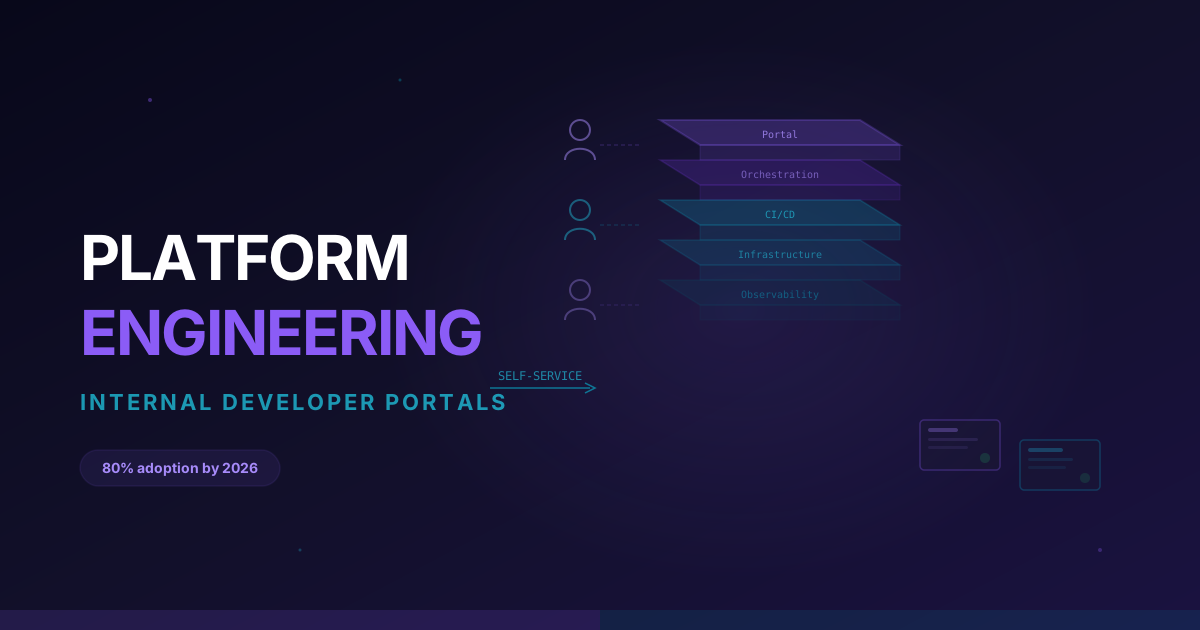
Apply root.yaml once. ArgoCD reads everything in apps/, creates each child Application, and those in turn deploy their workloads. From then on, onboarding a new service is a single new file in Git — the root app picks it up and reconciles automatically. This is the pattern that lets platform teams manage hundreds of apps across many clusters from one repository, and it pairs naturally with the kind of self-service workflows we covered in Platform Engineering and Internal Developer Portals.
For dynamic generation across many clusters or environments, ArgoCD's ApplicationSet controller takes this further by templating Applications from generators (Git directories, cluster lists, pull requests). It's the natural next step once app-of-apps gets repetitive.
Where GitOps Fits With CI
A common point of confusion: GitOps is CD, not CI. Your CI pipeline still builds images, runs tests, and produces artifacts — see our CI/CD beginner's guide for that half. The handoff looks like this:
- CI (e.g. GitHub Actions) builds and tests your code, pushes a tagged image to a registry.
- CI updates the image tag in your GitOps repo (often via an automated commit or a tool like Argo CD Image Updater).
- ArgoCD notices the changed manifest and syncs the new version to the cluster.
CI never needs cluster credentials. The only thing with write access to the cluster is ArgoCD, pulling from a repo you control. That separation is one of GitOps's biggest security wins.
What's New in ArgoCD 3.x
If you're coming from the 2.x era, the 3.x line (current stable as of mid-2026 is the 3.3/3.4 series) brought meaningful operational improvements worth knowing:
- Major performance gains — substantially faster sync, dramatically lower drift-detection latency, and reduced idle memory, plus support for more managed clusters per controller.
- PreDelete hooks (3.3) — run logic before an Application is deleted, closing a long-standing safety gap.
- KEDA integration (3.3) — pause/resume KEDA
ScaledObjectsand understandScaledJobhealth directly in the UI. - Server-side apply maturity and configurable Kubernetes API timeouts for large clusters.
If you're upgrading an existing install, read the official 2.14 → 3.0 upgrade notes — there are a few breaking RBAC and config defaults to account for.
Common Beginner Mistakes
- Putting secrets in the GitOps repo in plaintext. Use Sealed Secrets, External Secrets Operator, or SOPS. Git is the source of truth, but it shouldn't store raw credentials.
- Enabling
prunebefore you trust your manifests. Test pruning in a dev cluster first — a broken manifest generator that returns zero resources can otherwise delete everything (ArgoCD'sallowEmpty: falsedefault guards against this, but don't rely on it alone). - Mixing manual
kubectl applywith GitOps. Once an app is managed by ArgoCD withselfHeal, manual changes get reverted. Make changes in Git, full stop. - One giant Application for everything. Split by team or service so a sync failure in one app doesn't block others.
Practice GitOps Hands-On With CloudaQube
Reading about reconciliation loops is one thing; watching ArgoCD heal a cluster you broke is what makes GitOps stick. The fastest path to fluency is to install ArgoCD on a throwaway cluster, deploy the guestbook, then deliberately break things and watch them get fixed.
CloudaQube's hands-on cloud labs give you real, disposable Kubernetes environments to practice exactly this — no cloud bill, no cleanup, no risk to anything that matters. Spin up a cluster, run through every step in this tutorial, and use CloudaQube's Career Intelligence to map GitOps and ArgoCD into the broader DevOps and platform-engineering skills employers are hiring for in 2026.
GitOps is how modern teams ship. Start with one Application today, and you'll be running the app-of-apps pattern across a fleet before you know it.
Sources: CNCF End User Survey — ArgoCD majority adoption, ArgoCD official documentation, Argo CD 3.3 release coverage (InfoQ).