Kubernetes makes it easy to deploy and scale applications. But once your containers are running, how do you know if they are actually healthy? Are pods crashing? Is a node running out of memory? Did that last deployment silently break something?
That is what Kubernetes monitoring is for. It gives you visibility into what is happening inside your cluster so you can catch problems before your users do. In this guide, we will cover the fundamentals of Kubernetes monitoring, the most popular tools, the key metrics every team should track, and how developing monitoring skills can accelerate your DevOps career.
What Is Kubernetes Monitoring and Why Does It Matter?
Kubernetes monitoring is the practice of collecting, storing, and analyzing data about the health and performance of your Kubernetes clusters, nodes, pods, and the applications running inside them.
Unlike traditional servers that sit in one place and run one thing, Kubernetes is a dynamic system. Pods are created, destroyed, and rescheduled constantly. Nodes can be added or drained. Deployments roll forward and sometimes roll back. Without monitoring, you are operating blind in a constantly changing environment.
Effective monitoring answers four critical questions:
- Is my application healthy? Are pods running, passing health checks, and responding to requests?
- Do I have enough resources? Are nodes running out of CPU or memory? Are pods being throttled?
- What changed? Did a recent deployment cause higher error rates or slower response times?
- Will something break soon? Is disk usage trending toward full? Is a certificate about to expire?
Organizations that invest in monitoring see fewer outages, faster incident response, and more confident deployments. It is not optional -- it is foundational.
Key Metrics Every Team Should Track
You do not need to monitor everything. Focus on the metrics that actually indicate problems. Here are the most important ones, organized by layer:
Cluster and Node Metrics
| Metric | What It Tells You | Why It Matters |
|---|---|---|
| CPU utilization | How busy your nodes are | High CPU means slow responses or scheduling failures |
| Memory utilization | How much RAM is in use | Running out of memory causes pods to be killed (OOMKilled) |
| Disk usage | How full your node storage is | Full disks can crash nodes and prevent logging |
| Pod capacity | How many more pods can be scheduled | Running out of capacity blocks new deployments |
| Node readiness | Whether nodes are healthy and available | Unready nodes cannot run workloads |
Pod and Container Metrics
| Metric | What It Tells You | Why It Matters |
|---|---|---|
| Pod restart count | How often pods are crashing and restarting | Frequent restarts signal unstable code or configuration errors |
| CPU throttling | Whether pods are hitting their CPU limits | Throttled pods respond slowly to user requests |
| Memory usage vs limits | How close pods are to their memory cap | Pods exceeding limits get killed immediately |
| Pod status | Whether pods are Running, Pending, or Failed | Pending pods often mean resource shortages |
| Container readiness | Whether containers are ready to serve traffic | Unready containers are removed from load balancer rotation |
Application Metrics
| Metric | What It Tells You | Why It Matters |
|---|---|---|
| Request rate | How many requests per second your app handles | Tracks traffic patterns and capacity needs |
| Error rate | Percentage of requests returning errors (5xx) | Directly reflects user experience |
| Response time (P95/P99) | How long the slowest requests take | Slowness frustrates users and indicates bottlenecks |
| Queue depth | How many tasks are waiting to be processed | Growing queues mean your app cannot keep up |
The RED Method
A popular framework for application monitoring is the RED method: track Rate (requests per second), Errors (failed requests), and Duration (how long requests take). If you monitor nothing else at the application level, start with these three.
Top Kubernetes Monitoring Tools Compared
There are several excellent monitoring tools in the Kubernetes ecosystem. Here is how the most popular options stack up:
| Tool | Type | Best For | Pricing | Learning Curve |
|---|---|---|---|---|
| Prometheus + Grafana | Open source | Teams that want full control and customization | Free (self-hosted) | Moderate |
| Datadog | SaaS platform | Organizations wanting an all-in-one solution | Per-host pricing (starts ~$15/host/month) | Low |
| New Relic | SaaS platform | Teams focused on application performance monitoring | Free tier available; usage-based pricing | Low |
| Dynatrace | SaaS platform | Large enterprises needing AI-powered insights | Per-host pricing (enterprise-focused) | Low-moderate |
| Amazon CloudWatch | AWS-native | Teams running EKS who want AWS integration | Pay-per-metric and per-dashboard | Low for AWS users |
| Grafana Cloud | Managed SaaS | Teams that want Prometheus/Grafana without self-hosting | Free tier available; usage-based | Moderate |
For most teams just getting started, Prometheus and Grafana are the go-to choice. They are free, widely adopted, and the skills transfer to nearly every DevOps job. If you want a managed experience without running your own monitoring infrastructure, Datadog and Grafana Cloud are strong options.
Prometheus and Grafana: How They Work Together
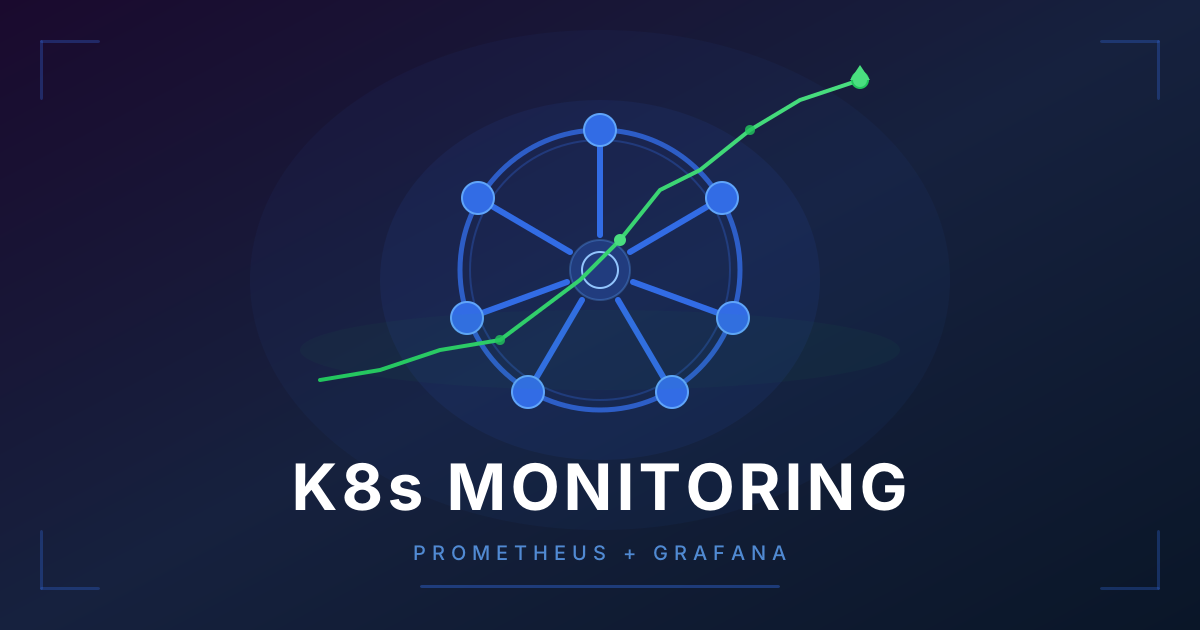
Prometheus and Grafana are the de facto standard for Kubernetes monitoring. They are open-source, mature, and used by organizations of every size. Here is how they fit together:
What Prometheus Does
Prometheus is a time-series database and metrics collection system. It works on a pull-based model: instead of your applications sending data to Prometheus, Prometheus reaches out and scrapes metrics from your services at regular intervals (typically every 15 to 30 seconds).
When you install Prometheus on a Kubernetes cluster, it automatically discovers and collects metrics from:
- Nodes (via node-exporter): CPU, memory, disk, and network usage
- Kubernetes objects (via kube-state-metrics): pod status, deployment health, replica counts
- Your applications: any service that exposes a
/metricsendpoint in Prometheus format
Prometheus stores this data locally and lets you query it using a language called PromQL. It also evaluates alert rules and sends notifications when something goes wrong.
What Grafana Does
Grafana is a visualization and dashboarding platform. It connects to Prometheus (and many other data sources) and turns raw metrics into interactive charts, graphs, and tables.
When you install the Prometheus + Grafana stack on Kubernetes (typically via the kube-prometheus-stack Helm chart), Grafana comes pre-loaded with dozens of useful dashboards covering cluster health, node performance, pod resource usage, and more.
Grafana is where your team will spend most of their time -- looking at dashboards during incidents, building custom views for specific applications, and setting up alert notifications to Slack, PagerDuty, or email.
Alertmanager: The Missing Piece
Alertmanager is the third component of the stack. When Prometheus detects that a metric has crossed a threshold (like CPU usage above 90% for five minutes), it sends an alert to Alertmanager. Alertmanager then handles deduplication (so you do not get 50 alerts for the same issue), grouping (related alerts are bundled together), and routing (critical alerts go to Slack, warnings go to email).
Getting Started Is Easy
The kube-prometheus-stack Helm chart bundles Prometheus, Grafana, Alertmanager, and pre-configured dashboards into a single installation. One command gives you a complete monitoring stack with sensible defaults. It is the recommended starting point for most teams.
Alerting Best Practices
Setting up alerts is easy. Setting up alerts that your team actually trusts and responds to is much harder. Here are the practices that separate good alerting from noise:
What to Alert On
- User-facing symptoms, not causes. Alert on "error rate above 5%" rather than "CPU above 80%." High CPU might be perfectly fine during a traffic spike. A high error rate always means users are affected.
- Things that require immediate action. If nobody needs to wake up or drop what they are doing, it is not an alert -- it is a dashboard metric.
- Service-level objectives (SLOs). Define targets like "99.9% of requests complete successfully" and alert when you are burning through your error budget too quickly.
What NOT to Alert On
- Transient spikes. A pod restarting once is normal. A pod restarting ten times in an hour is a problem. Use time-based thresholds (like "for 5 minutes") to filter out noise.
- Self-healing events. Kubernetes is designed to auto-recover. A pod being rescheduled to a different node is not an incident.
- Metrics with no clear action. If the on-call engineer cannot do anything about the alert, remove it.
Avoiding Alert Fatigue
Alert fatigue is the number one killer of effective monitoring. When teams receive too many alerts, they start ignoring all of them -- including the critical ones.
- Review alerts monthly. If an alert has not fired in six months, consider removing it.
- If an alert fires regularly and gets acknowledged without action, the threshold is wrong.
- Group related alerts together. One "Database cluster degraded" alert is better than five separate alerts for each symptom.
The Cost of Noisy Alerts
According to a 2025 PagerDuty survey, on-call engineers experiencing alert fatigue are 3x more likely to miss critical incidents. Every unnecessary alert makes your monitoring system less trustworthy.
Career Impact: Why Monitoring Skills Matter
Monitoring and observability skills are in high demand across the tech industry. Here is why investing in this area pays off:
Job listings increasingly require it. A search for "Kubernetes" on major job boards shows that over 60% of listings mention monitoring, observability, or specific tools like Prometheus and Grafana as required or preferred skills.
It bridges the gap between development and operations. Understanding monitoring makes you more effective in any DevOps, SRE, or platform engineering role because you can connect application behavior to infrastructure performance. Pairing monitoring expertise with CI/CD pipeline skills is a particularly powerful combination for DevOps careers.
It commands higher salaries. DevOps engineers with strong observability skills tend to earn 10-20% more than those without, according to salary data from levels.fyi and Glassdoor. Senior SRE roles focused on observability at major tech companies can exceed $200,000 per year.
Relevant job titles that value monitoring expertise:
- DevOps Engineer ($120,000 - $160,000)
- Site Reliability Engineer ($140,000 - $185,000)
- Platform Engineer ($130,000 - $175,000)
- Observability Engineer ($140,000 - $180,000)
- Cloud Infrastructure Engineer ($125,000 - $165,000)
Certifications to Consider
The Certified Kubernetes Administrator (CKA) and Prometheus Certified Associate (PCA) certifications both cover monitoring concepts and are recognized across the industry. Our CKA certification study guide can help you prepare. They demonstrate hands-on competence to hiring managers.
How to Learn Kubernetes Monitoring
The best way to learn monitoring is by doing it. Here is a practical learning path:
- Set up a local cluster. Use Minikube or kind to run Kubernetes on your laptop. No cloud costs, no risk.
- Install the monitoring stack. Deploy Prometheus and Grafana using the kube-prometheus-stack Helm chart. Explore the pre-built dashboards to understand what metrics are available.
- Deploy a sample application. Run a simple web app, generate traffic with a load testing tool, and watch the metrics in Grafana.
- Create an alert. Write a rule that fires when your app's error rate exceeds a threshold. Configure Alertmanager to send a notification. Then break your app on purpose and watch the alert fire.
- Build a custom dashboard. Create a Grafana dashboard tailored to your sample application showing request rate, error rate, and latency.
With CloudaQube, you can accelerate this learning path dramatically. Just describe what you want to practice -- like "set up Prometheus and Grafana monitoring on a Kubernetes cluster" -- and CloudaQube generates a complete hands-on lab with guided instructions. No more wrestling with setup or environment configuration. You go straight to building real monitoring skills.
Frequently Asked Questions
Do I need to know Kubernetes before learning monitoring?
Basic Kubernetes knowledge helps -- you should understand pods, deployments, services, and namespaces. If you need a refresher, our guide to Docker and Kubernetes orchestration covers the essentials. But you do not need to be a Kubernetes expert. In fact, setting up monitoring is a great way to deepen your understanding of how Kubernetes works under the hood.
Is Prometheus the only option for Kubernetes monitoring?
No. Datadog, New Relic, Dynatrace, and other commercial platforms are all excellent choices, especially for teams that want a managed experience. However, Prometheus is free, open-source, and the most widely used tool in the Kubernetes ecosystem. Learning Prometheus first gives you skills that transfer to any platform.
How much infrastructure does Prometheus need?
For small to medium clusters (up to 50 nodes), Prometheus can run on a single pod with 2 CPU cores and 4-8 GB of memory. Larger clusters may need more resources or a horizontally scalable solution like Thanos, Cortex, or VictoriaMetrics.
What is the difference between monitoring and observability?
Monitoring tells you when something is wrong (alerts and dashboards). Observability tells you why something is wrong by combining three data types: metrics (Prometheus), logs (Loki, Elasticsearch), and traces (Jaeger, Tempo). Monitoring is a subset of observability. Start with monitoring and add logs and traces as your needs grow.
Want to practice this hands-on?
CloudaQube generates complete labs from a simple description. Try it free.
Get Started Free